Maybe it will be useful for the forum members:
1. Download Babylon English-Hebrew dictionary from here. You will get a file named Babylon_English_Hebrew.BGL.
2. Install on your smartphone FBReader and GoldenDictFree. Upload some EPUB books to Books folder.
3. Move the BGL file from the computer into the smartphone, place it into a folder named GoldenDict.
4. Open GoldenDict app. You will be asked whether to index the dictionary. Answer OK. Press on 3 dots in order to enter the menu. Unmark the Translation popup is fullscreen paragraph.
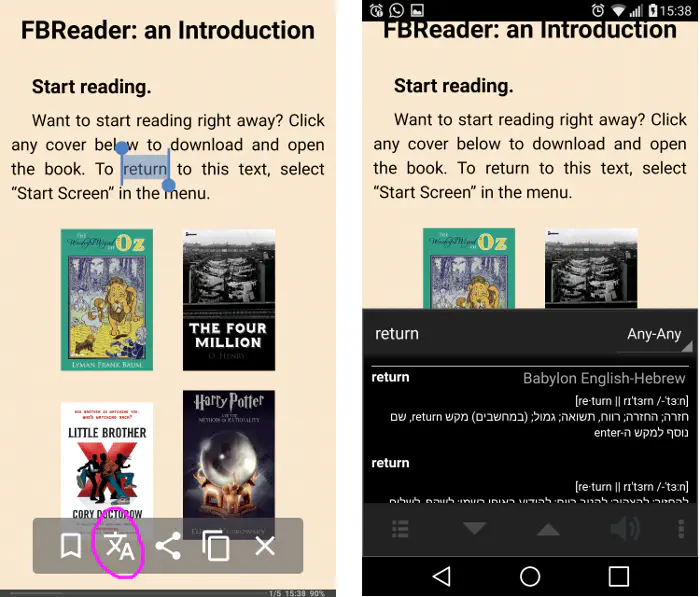
5. Open FBReader, chose a book, press on a word, press on the icon with a Chinese letter, and the translation will be popped, as below.